Over the last few years, we have witnessed a dynamic digitalization of the banking sector in the Middle East. Financial institutions operating in the market are known for their high technological advancement. And one of the most innovative banks in the region is the National Bank of Kuwait.
Their application, NBK Mobile, has consistently ranked highly in prestigious rankings such as Global Finance. Finanteq is honored to be the bank's partner in developing mobile banking and we are proud to have contributed in NBK’s success since 2011. Together, we've executed three app facelifts, all of which have been well-received by the bank's customers.
The key objectives of the project
The main goals of the bank during the current app facelift were to:
- improve the app's structure to make navigation even simpler and more intuitive;
- refresh the design;
- increase the potential for personalization of digital services to meet unique customer preferences and expectations.
In pursuit of excellence and delivering the best experiences, the bank has revamped its app to enhance navigation, refresh the design, and enable greater personalization of digital services, aligning with its core goals. Let’s check what has changed.
Solution – NBK Mobile app facelift
This case study presents the most significant changes in the application.
Before logging in
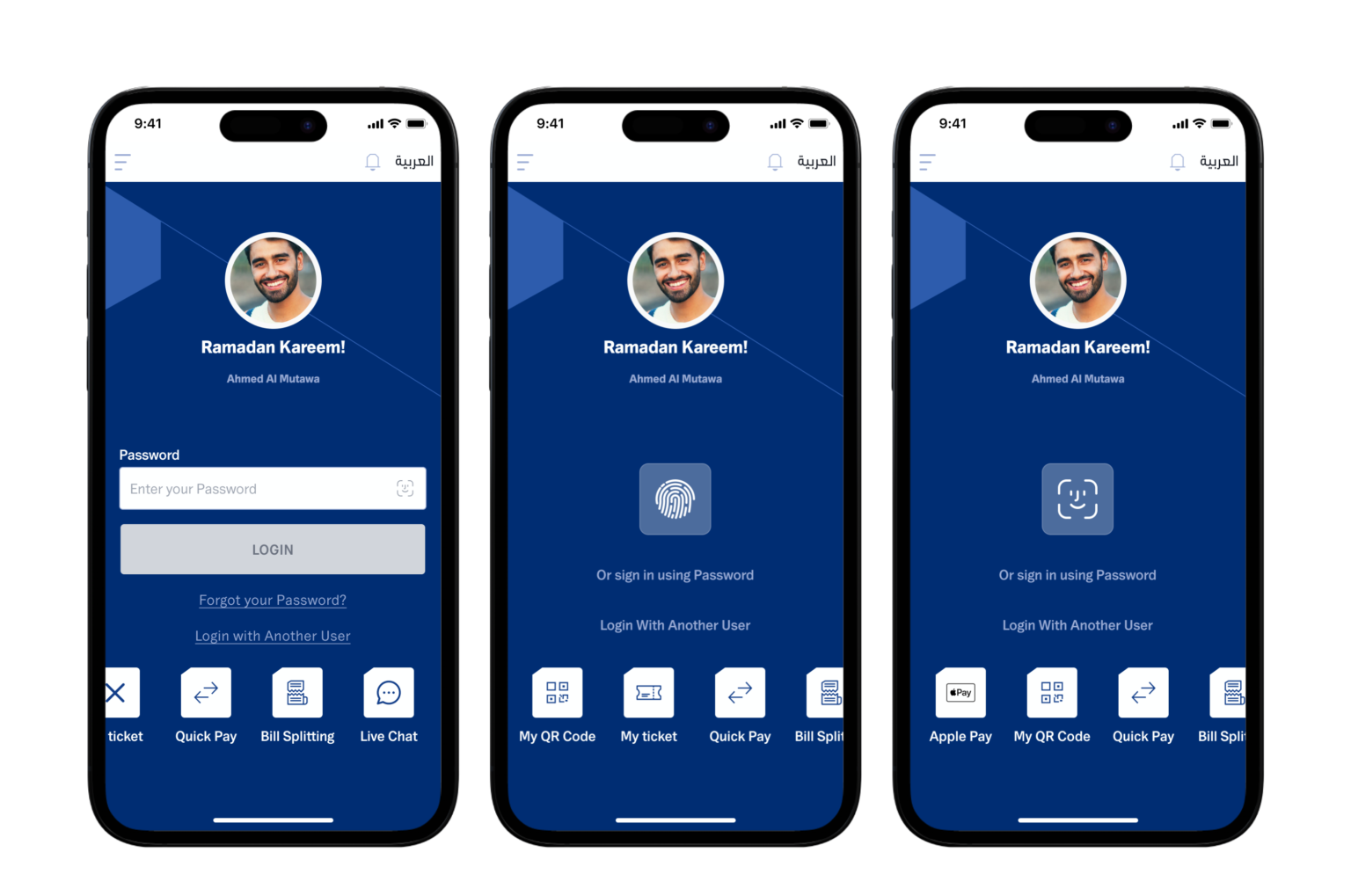
Avatars and occasional messages – the next level of personalization
One remarkable change introduced during this facelift is the addition of user avatars, displaying the users' names before logging in. Previously, only the user's login was shown. This option is available to everyone who has logged in at least once and defined this information. This is an important change in terms of personalization and user experience (UX). More about this functionality will be covered in the second part of this article.
Additionally, occasional messages are displayed on the first screen, such as those dedicated to Ramadan or the New Year. If there is no specific holiday on a given day, a default information is shown. The messages are generated randomly, providing a unique initial interaction with the app.
Walkthrough screens – Overview of new features in a nutshell
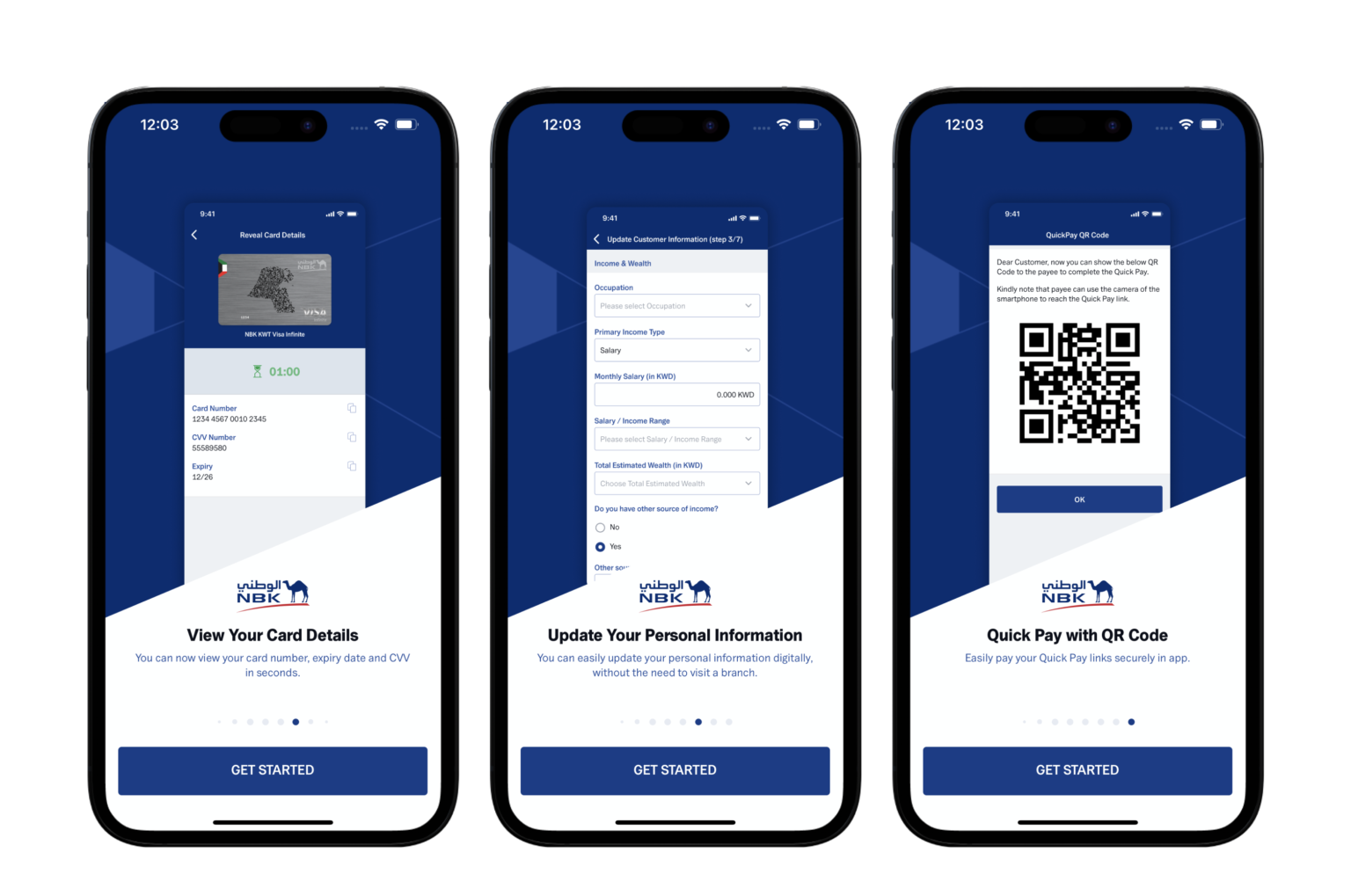
Even before logging in, users are presented with a mini-presentation in the form of "walkthrough screens." This feature aims to show users what's new in the updated app version. This is a gesture towards users, enabling them to familiarize themselves with the latest features easily. It also showcases that the app develops continuously.
Additionally, users can set the language before entering the app on both iOS and Android operating systems.
After logging in
Tutorials – an invaluable guide to the app
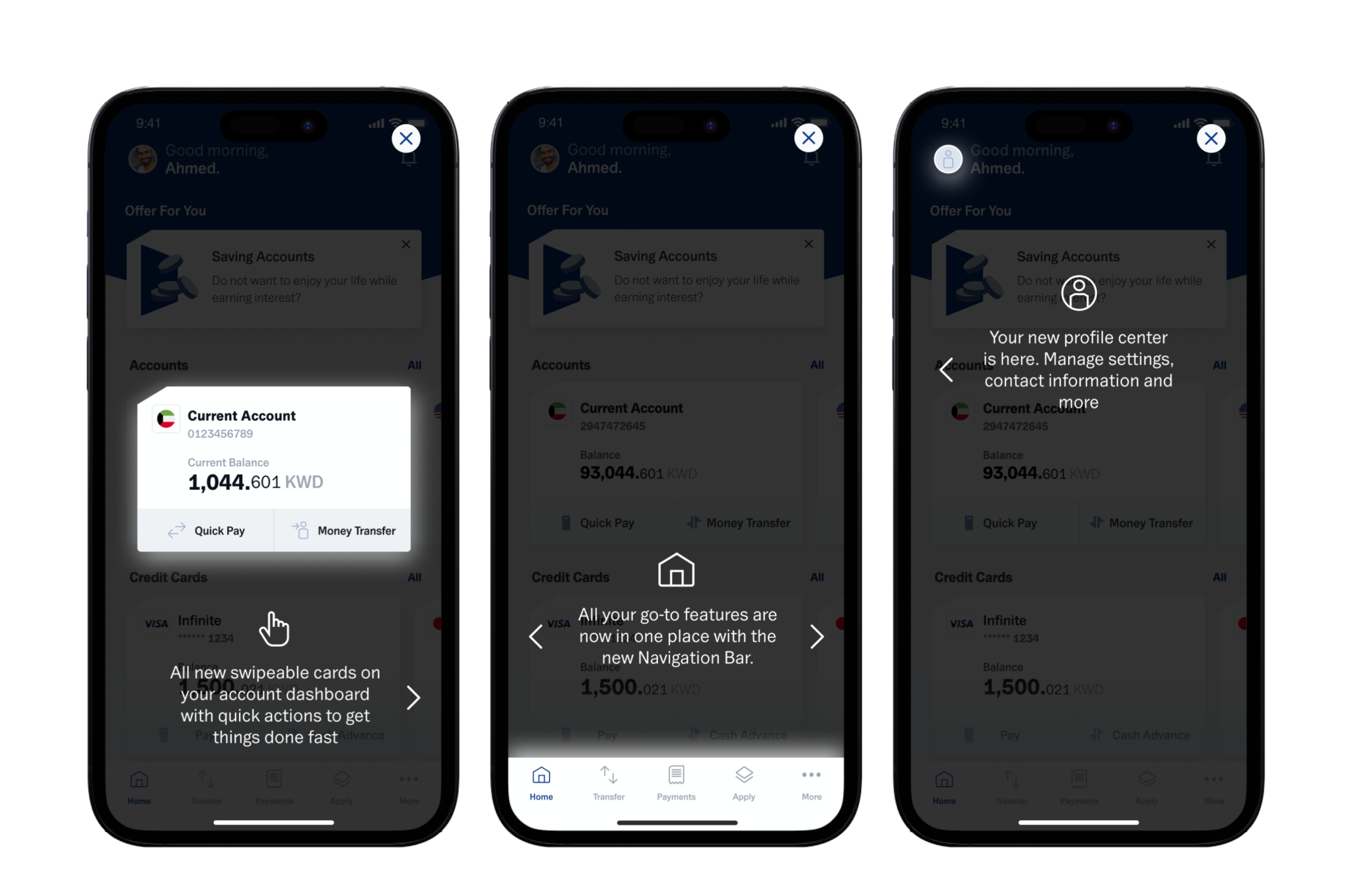
Tutorials are a handy feature that helps users navigate the app. During the app facelift, the app's navigation underwent significant changes. Tutorials allow users to quickly understand and access new and refreshed features, resulting in a seamless and excellent user experience.
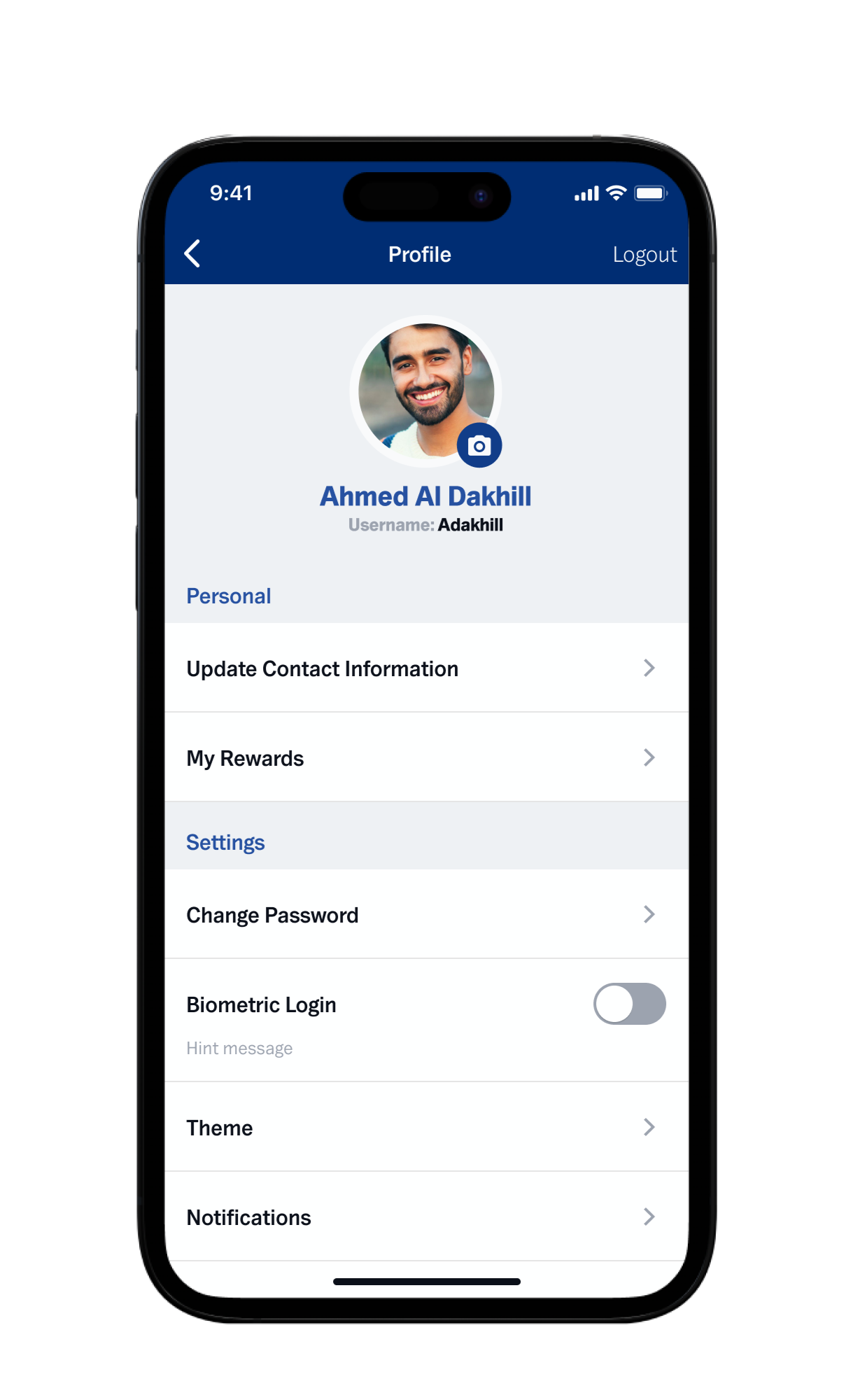
Setting your own photo – once set, always visible
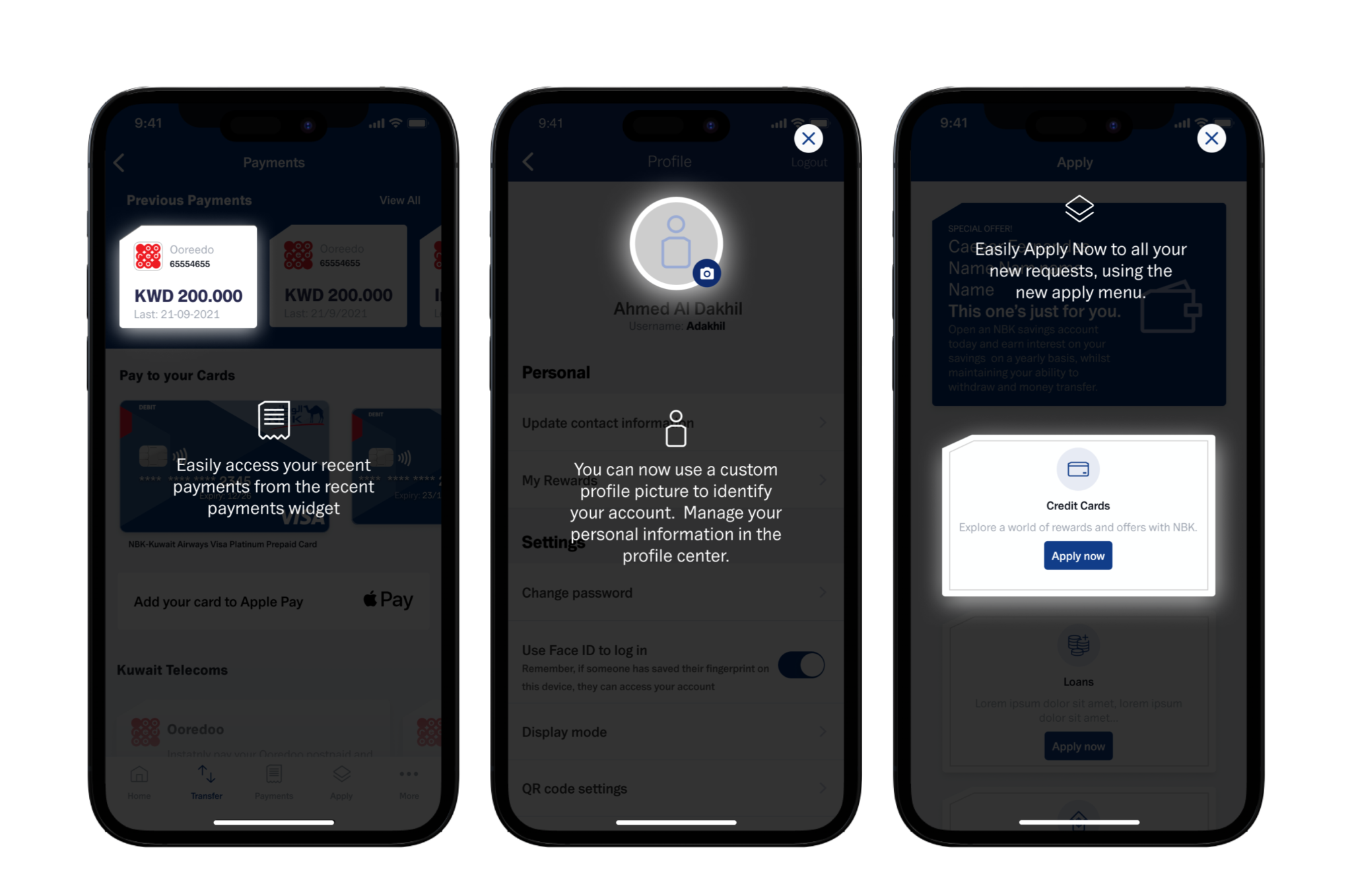
An excellent example of app personalization and adapting it to user’s preferences is the ability to add a photo, which would be displayed as your personal avatar. Users can take a shot from the app or choose one from their gallery. As mentioned before, after setting the photo for the first time, it appears on the screen before logging in.
Changes in sections and appearance – making the app delightful in design and intuitiveness
Right Product For You
Personalizing the app's options is crucial when it comes to customer experience (CX). Previously available in the app, the "Right Product For You" section changed its place and became an essential part of the bank's sales campaigns.
In this section, the bank can present products suitable for each customer, such as credit cards or loans. Offering services and products that best meet users' needs is now a standard feature in every modern banking app.
Refreshed dashboard
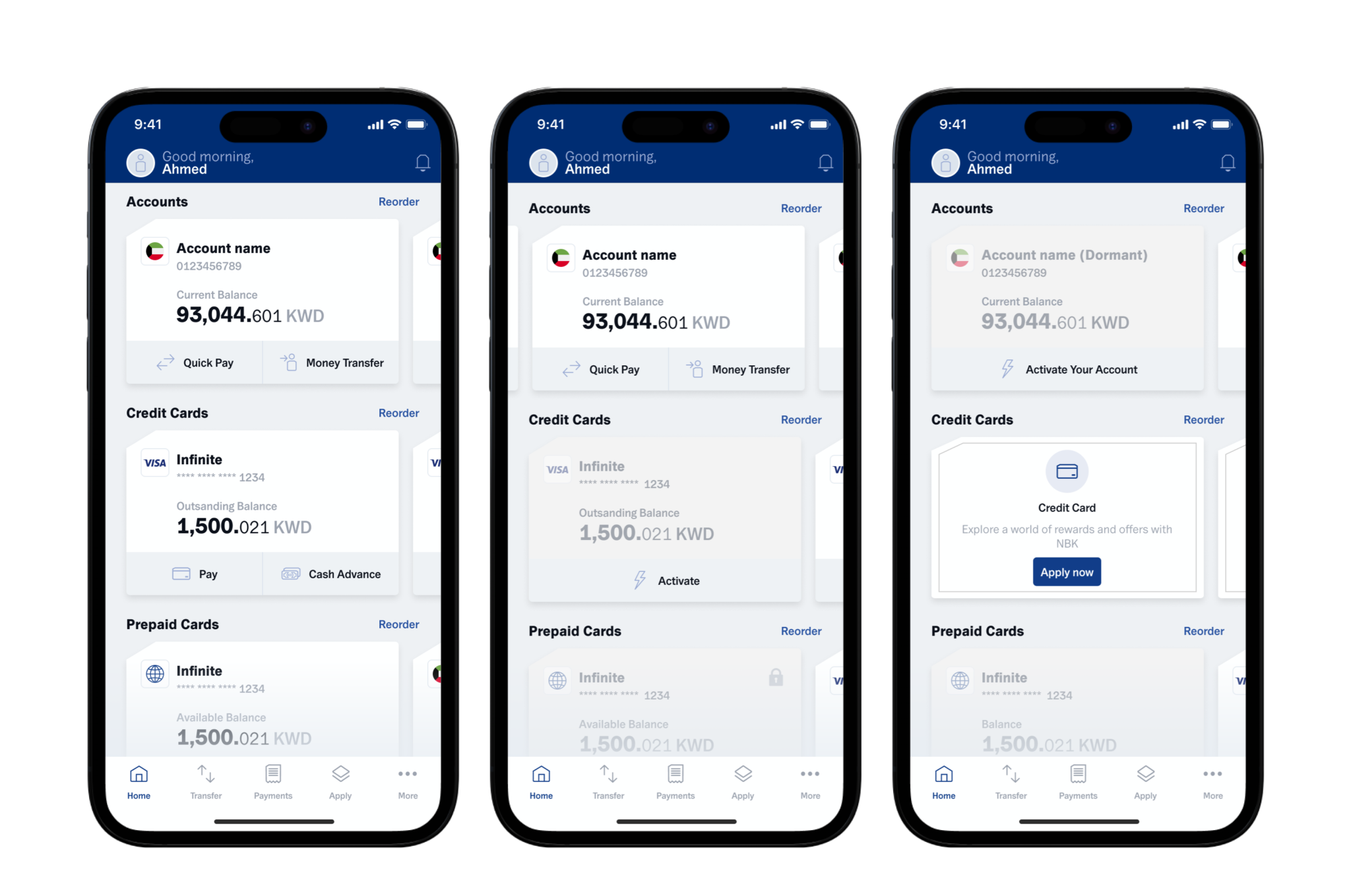
The dashboard of the app underwent a significant transformation. The list of products was replaced with efficient tiles. From the dashboard, customers can access features such as accounts, credit cards, prepaid cards, deposits, investments, loans, or total assets.
Moreover, each section available on the user's dashboard has an option to apply for a specific product. For example, customers without a credit card will see an option to apply for one. If a customer already has one, they can easily apply for additional ones.
Products that the user does not currently possess/owns? are also displayed on the home screen, making it convenient to apply for them. This approach meets potential user needs and makes the bank's offerings present naturally.
The new "Total Assets" section is worth mentioning, as it summarizes all accounts, allowing users to check their account balances conveniently.
See All
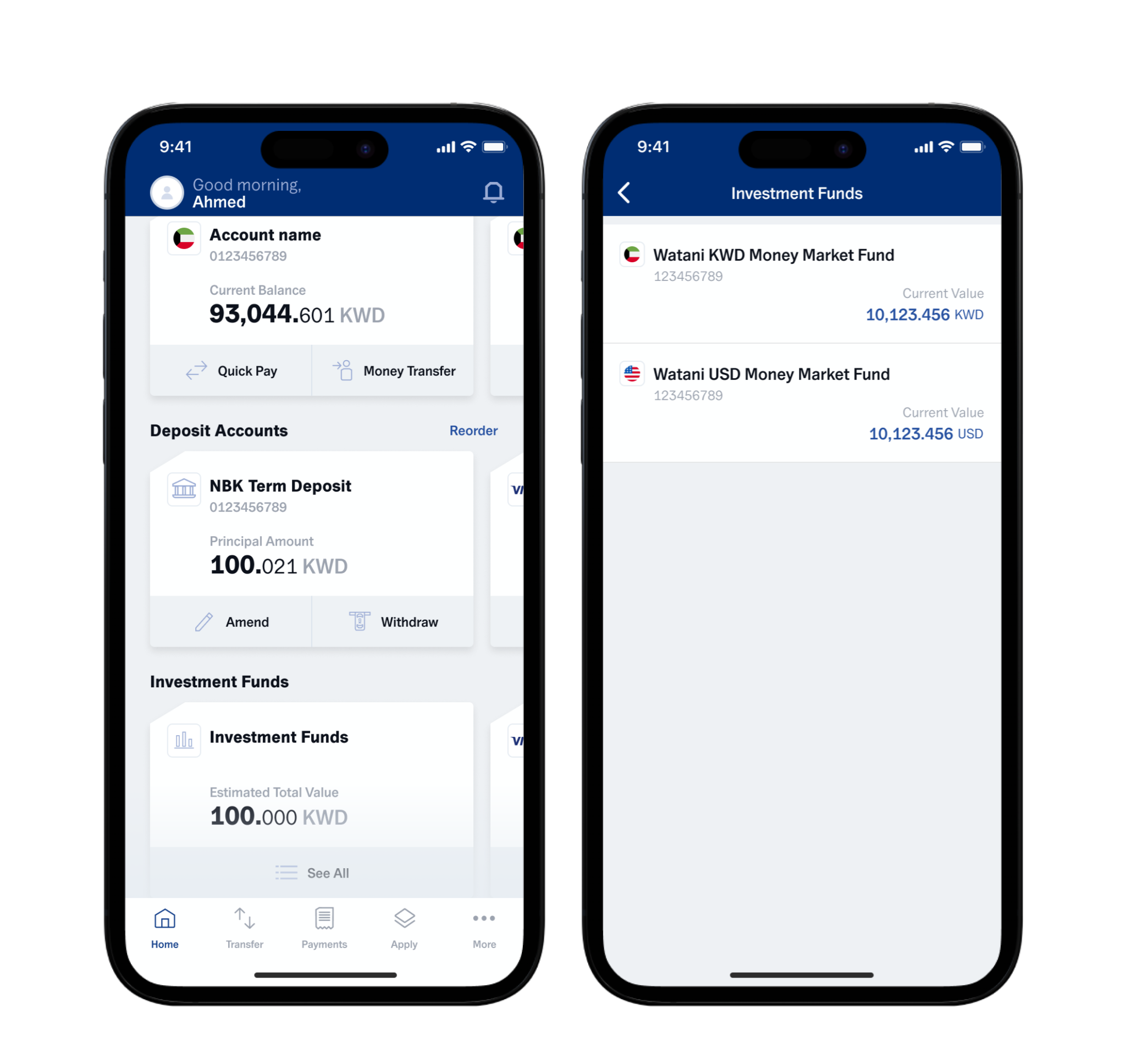
The "See All" section enables users to effortlessly and intuitively manage their products, such as accounts, cards, or loans. Here, customers have complete control over their finances, and they can set the order of displayed accounts according to their preferences and access detailed information about each account directly.
The main features of the "See all" section include:
- Sorting accounts: Users can freely arrange the order of their accounts to suit their individual needs best. For example, if users frequently use a specific account, they can place it at the top of the list for quick access.
- Full access to account details: By clicking on a selected account, users are taken to a detailed view that provides all essential information about the account. They can check available balances, transaction history, payment schedules, and other relevant details.
Any product changes made here are reflected in the entire app. Furthermore, users can have up to three mobile installations, meaning the new order will be applied on three devices. This feature distinguishes NBK Mobile as a practical tool for efficient personal financial management.
Even easier transfers
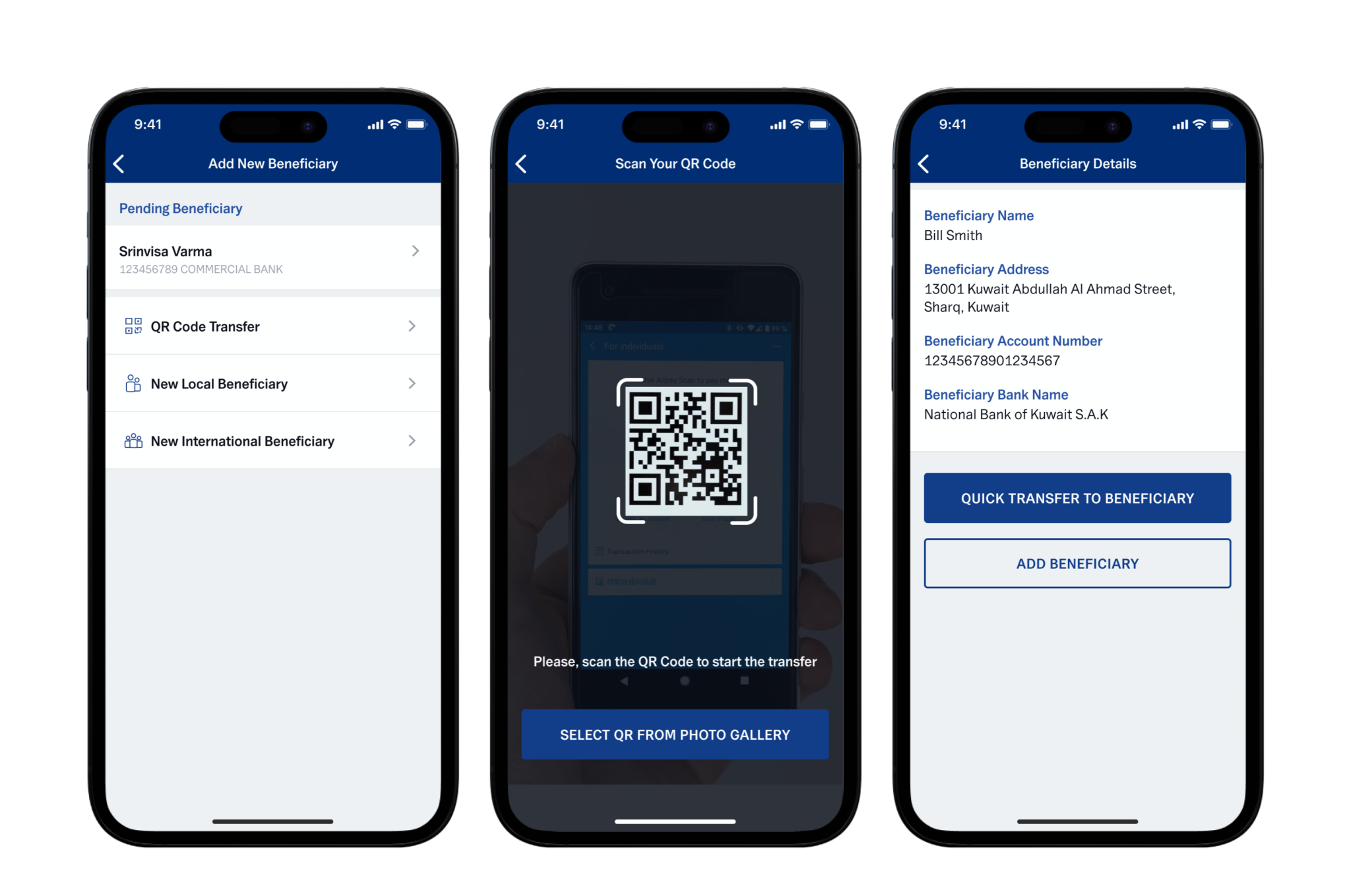
In the latest app version customers can generate QR codes, which can be easily and quickly sent to anyone which makes sending money or making payments more convenient. While this functionality was introduced after the facelift, it is a significant improvement worth mentioning.
Full-screen "Success" and "Happy Birthday" messages
Elements that seriously impact UX are success messages appearing after a successful money transfer.
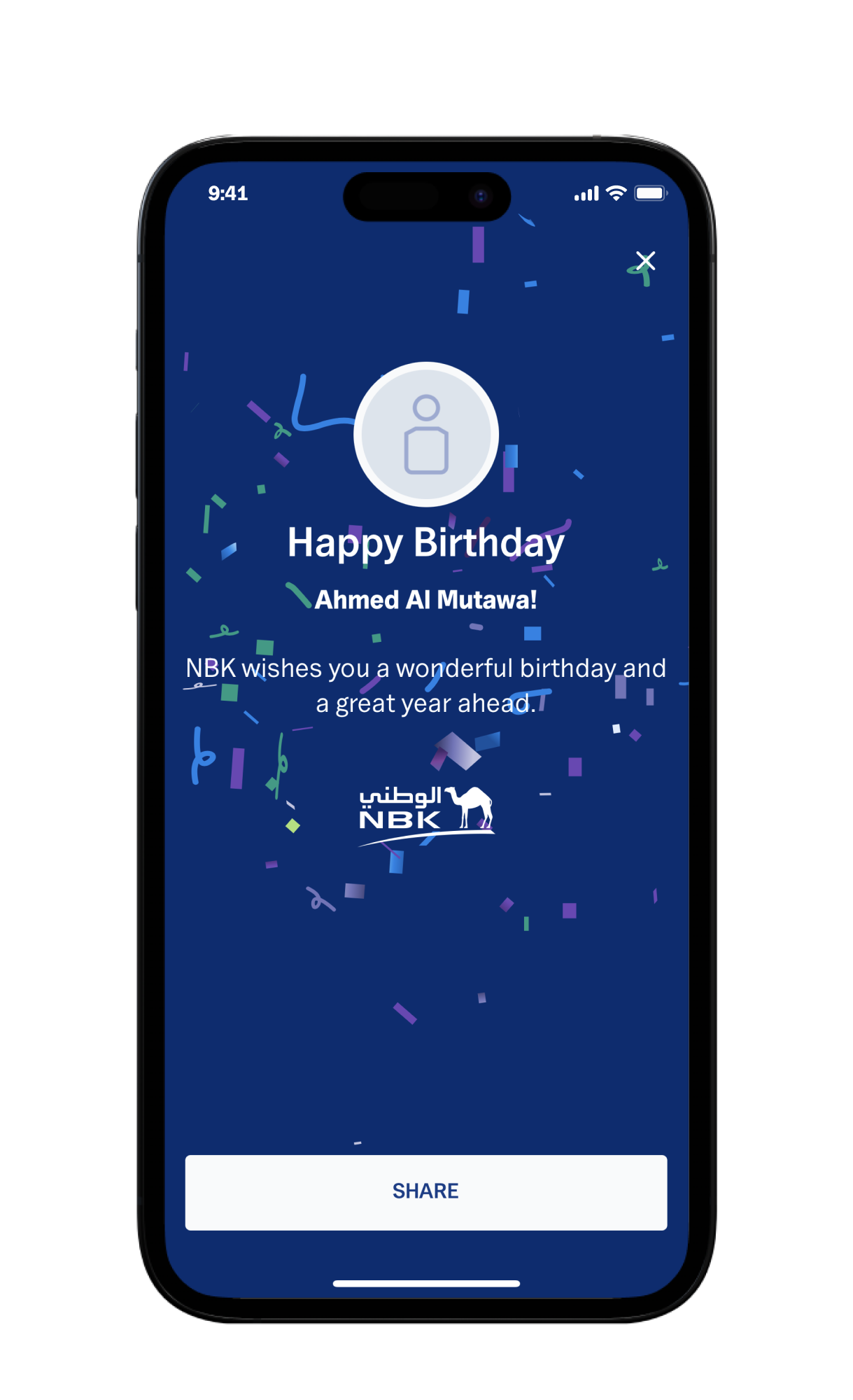
Another novelty is the full-screen "Happy Birthday" message. What is more, this message can be easily shared with others. Such messages displayed while using the app significantly improve UX and foster customer engagement with the bank.
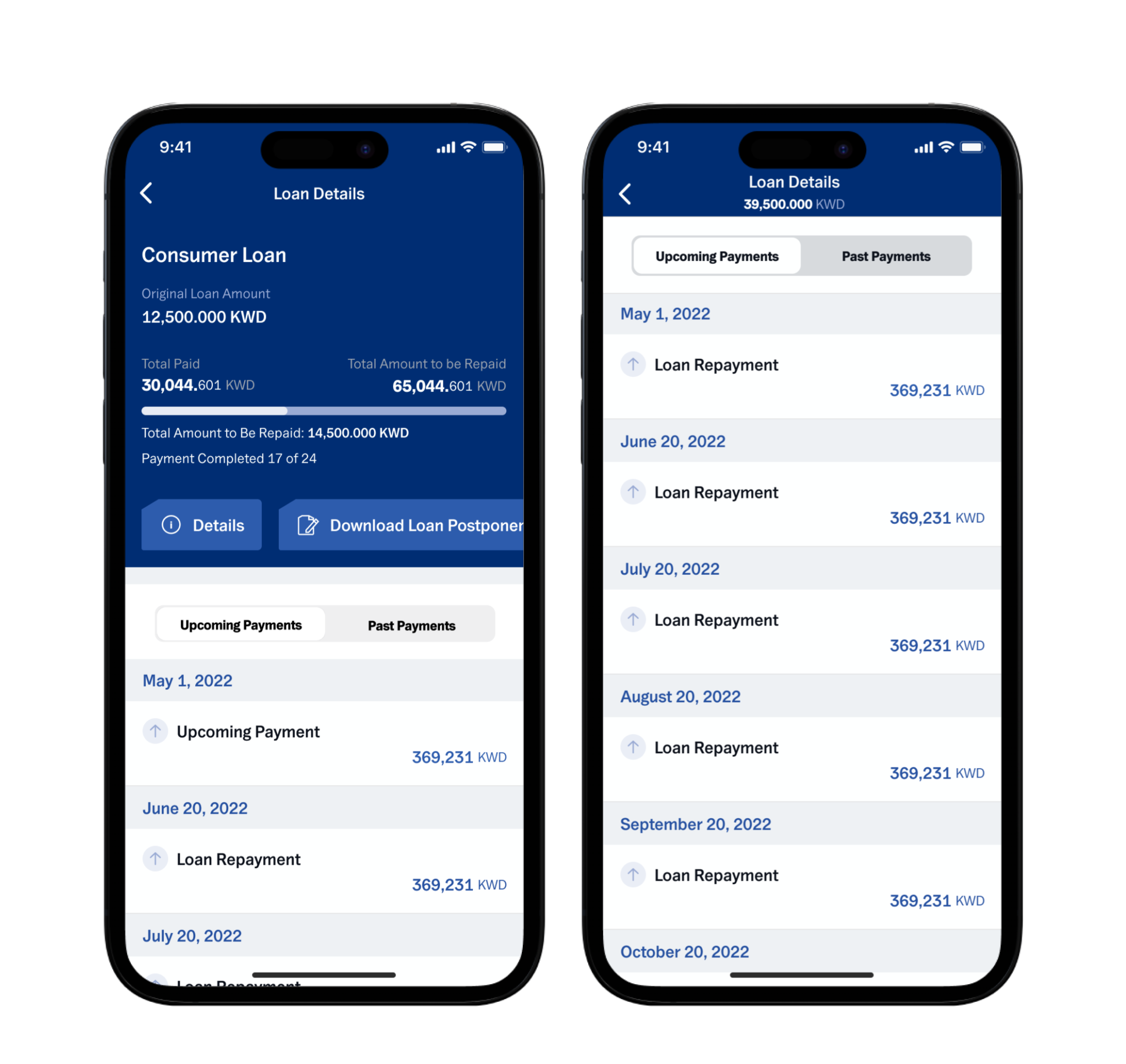
Loans
NBK provided users with a loan payment history showing past and future payments. This functionality enhances UX, enabling users to check payment details effortlessly.
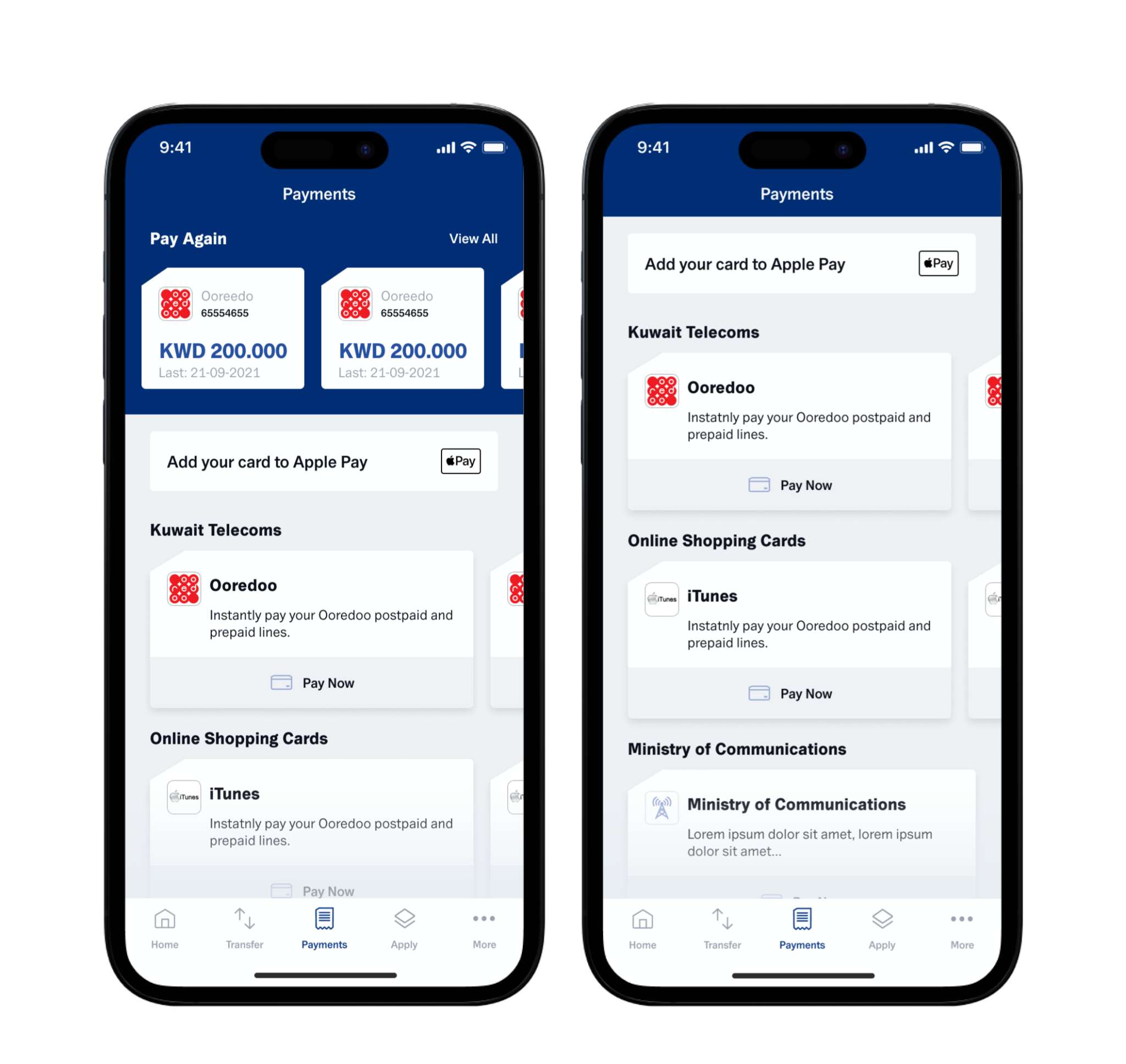
Payments tab
The Payments tab has undergone a significant transformation, starting with the first screen, where the users have the possibility to access a few recent transactions.
Additionally, the e-Payments section has also been updated, which significantly reduced the number of necessary clicks and enabled customers to access desired features much faster and easier. This improvement greatly benefits users, as they can reach now the desired screen with just one click.
The Payments tab also includes the "Donations" section, allowing app users to support selected charity campaigns.
Interestingly, from the decision to implement this option to its actual launch, only 24 hours elapsed! It was related to the bank's quick decision to express a willingness to support the victims of the earthquake in Turkey, reflecting their strong commitment to social responsibility.
At the same time, this accomplishment also underscores Finanteq's ability to respond quickly to our customers’ needs in exceptional situations.
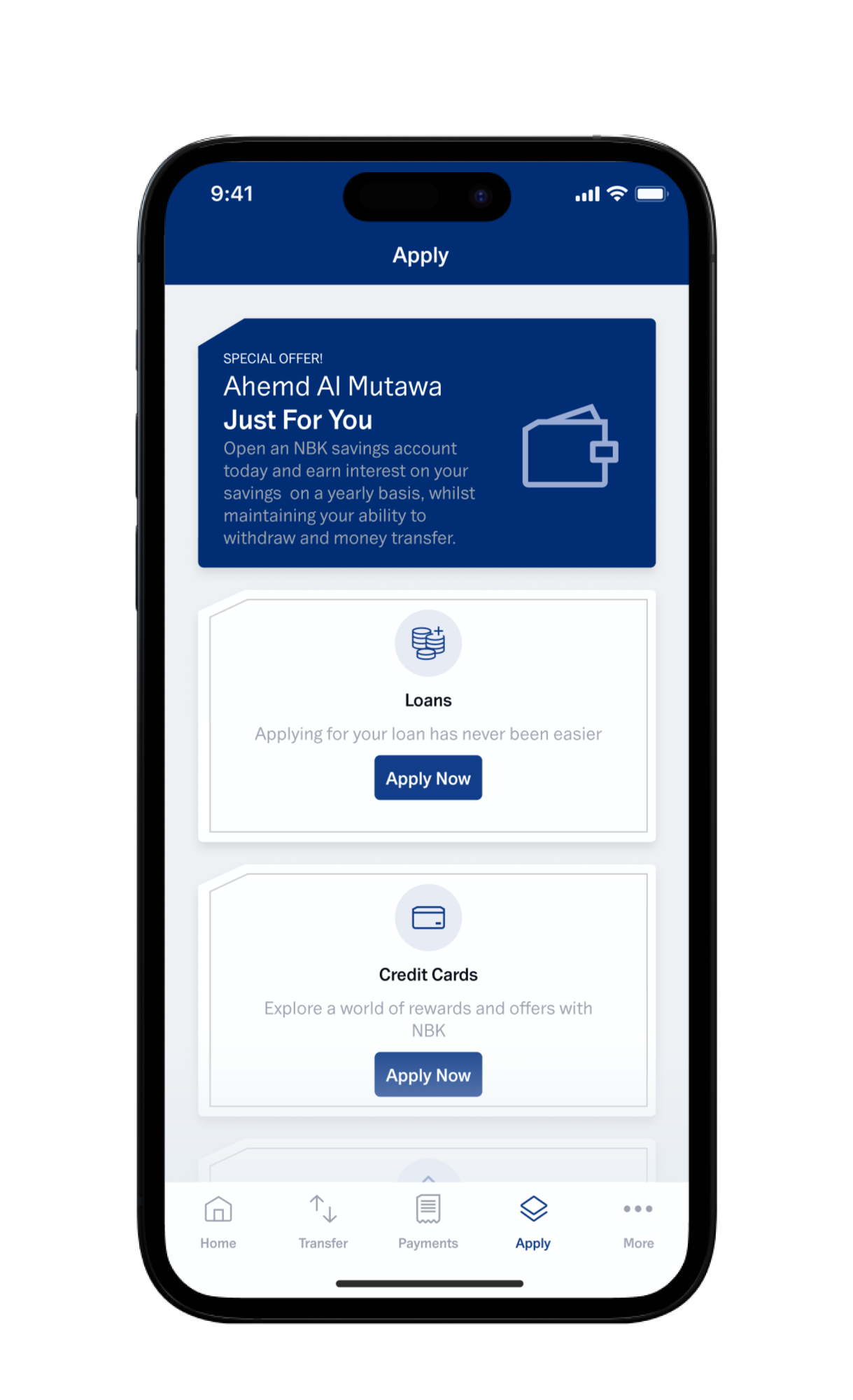
Apply tab
The Apply tab has a new functional layout. Catalogues have been created for the following items:
- prepaid cards,
- accounts,
- deposits.
Users can apply for all available products in this section. However, the products mentioned above have been logically categorized due to greater complexity.
The catalogues also include descriptions of the products, helping users decide which product suits them best. The structure was designed for intuitive access to the bank's services.
Manage My Cards
The "Manage My Cards" section allows customers to manage their cards in the app. Here, they can easily activate or deactivate the card, report its loss or theft, monitor transactions, set spending limits, and check PIN and card details (the last two functionalities were introduced after the facelift).
Users can choose between credit, debit, and prepaid cards. This section presents card views, making it easier for users to determine which card's PIN or details are displayed.

Rate the App
The last functionality to mention is the ability to rate the app. Why is this important? The bank can collect user ratings and assess their level of satisfaction. NKB as a bank that particularly cares about its clients, constantly introduces innovations, and based on assessments, implements changes that meet their expectations.
Results – what can Finanteq do for your app?
After the mobile app redesign, the National Bank of Kuwait experienced a significant increase in customer satisfaction. The new features, personalization options, modern and intuitive design, and improved account management capabilities contributed to enhanced user experience. Furthermore, the bank can now customize its digital services to individual customer preferences and expectations. An excellent example of this innovation, implemented by the bank during the earlier stages of development, is the dark mode.
These innovations translate into better UX and, consequently, higher profits for the bank through increased sales in the mobile channel. Contact us now to transform your mobile banking app into a customer-centric super-app!